
Screenshots
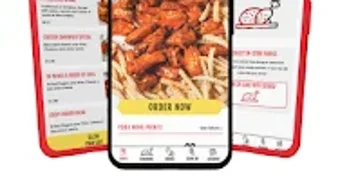
App details
- Version
- 4934
- Updated
- August 30, 2025
- Requires
- Android 15.0
- Language
- English
- License
- Free
- Developer
- Lunchbox Technologies Inc
- Category
- Android OS
SoftPas in:
This product is also available in the following languages:
About Wing Shack
Download Wing Shack – food ordering app, restaurant app, mobile food delivery, on-the-go dining, convenient food delivery, easy meal ordering, order ahead, Wing Shack app
Overview
The Wing Shack app is a mobile solution designed to simplify the process of ordering food for users on the go. Developed by Lunchbox Technologies Inc, it falls within the Lifestyle category, specifically focused on Food & Drink. The application enables users to browse menus, customize orders, and place food orders directly from their Android devices. It serves individuals seeking a streamlined experience for both takeout and dine-in scenarios. The app is particularly useful for busy professionals, students, and families who value time efficiency and convenience in their daily routines.
One of the primary functions of the app is to allow users to order ahead, ensuring that meals are prepared and ready upon arrival at the restaurant. This feature helps reduce wait times and improves the overall dining experience. Users can also access essential restaurant details such as location and operating hours directly within the app. Additionally, the platform supports digital tipping, eliminating the need for cash transactions and promoting a more seamless checkout process. While specific performance benchmarks or backend infrastructure details are not available, the app is designed with usability and accessibility in mind.
Key Features & Capabilities
- Menu Browsing: Users can navigate through a digital menu with ease, viewing item descriptions, prices, and images to make informed choices.
- Order Customization: The app allows users to modify their selections with special instructions, such as ingredient preferences or dietary restrictions.
- Order Ahead Functionality: Place orders in advance to ensure food is ready when the user arrives at the restaurant, reducing wait times.
- Account Information Storage: Save payment and personal details for faster checkouts on future visits.
- Restaurant Information Access: View location, opening hours, and other relevant details without leaving the app.
- Digital Tipping: Users can add tips directly during checkout, supporting staff and simplifying transactions.
These features collectively support a frictionless ordering journey. For example, a user arriving at a Wing Shack location during peak hours can pre-order their meal via the app, skip the line, and pick up their food promptly. Similarly, someone dining in can use the app to place an order and tip digitally, enhancing convenience and hygiene. The app’s design prioritizes intuitive navigation, making it accessible to users of all technical skill levels.
User Interface, Workflow & Performance
The Wing Shack app features a clean and intuitive user interface, optimized for Android devices. Upon opening, users are presented with a visually organized menu layout that supports quick item selection. Navigation is straightforward, with clearly labeled sections and minimal on-screen clutter. The workflow follows a logical sequence: browse → customize → review → checkout → confirm, ensuring a consistent and predictable user journey.
While the developer did not specify resource usage details, the app’s size of 45.8 MB suggests a lightweight footprint, which may contribute to efficient performance on mid-range Android devices. General software behavior patterns indicate that such applications typically maintain low CPU and RAM consumption during idle and active use. Stability appears to be a priority, as the app enables seamless transitions between menu browsing, order placement, and checkout. However, exact performance metrics, such as load times or background behavior, were not provided.
Compatibility & System Requirements
The Wing Shack app is designed for Android operating systems and is available in version 3.2.1. It has a file size of 45.8 MB, which indicates a moderate installation footprint. The developer did not specify exact system requirements, including minimum Android version, RAM, or processor specifications. As such, compatibility with specific device models or older Android versions cannot be confirmed.
Users are advised to ensure their device meets standard Android app installation criteria. The app’s reliance on network connectivity for menu access, order submission, and payment processing means that a stable internet connection is necessary for full functionality. Platform compatibility information is limited, and no details were provided regarding support for devices beyond Android.
Pros and Cons
Pros
- Intuitive interface designed for easy navigation on mobile devices.
- Order-ahead functionality helps reduce wait times at restaurants.
- Supports digital tipping for a contactless and convenient checkout.
- Allows saving of account and payment details for faster future orders.
- Provides access to restaurant location and operating hours within the app.
- Free to download and use, with no upfront cost.
Cons
- Compatibility with older Android versions is not confirmed.
- No information provided on background performance or battery impact.
- App is currently limited to Android, with no support for iOS or other platforms.
- Exact system requirements were not listed, which may affect user confidence.
- Performance under high network load or low connectivity is not documented.
FAQ Section
Is the Wing Shack app available for iOS devices?
Currently, the app is only available for Android devices. No information has been provided about future iOS support.
Is the app safe to use for payment transactions?
The app enables digital payments and tipping, suggesting it uses secure protocols. However, specific security measures such as encryption or third-party certifications were not detailed.
How often are updates released for the app?
Version 3.2.1 was released on May 15, 2024. The frequency of future updates has not been disclosed by the developer.
Does the app require an internet connection to function?
Yes, a stable internet connection is required for accessing menus, placing orders, and processing payments.
Can I use the app without creating an account?
While account creation is not explicitly required for ordering, saving payment details and order history likely requires an account.
Final Thoughts + CTA
The Wing Shack app delivers a focused and practical solution for users seeking a faster, more convenient way to order food from their favorite restaurant. With features like order-ahead, digital tipping, and seamless menu browsing, it effectively streamlines the dining experience. The app’s lightweight design and free access make it accessible to a broad audience. While platform limitations and missing technical details prevent a full assessment of performance and compatibility, the core functionality remains solid and user-centric.
For Android users who frequently order takeout or dine in at Wing Shack locations, this app offers tangible benefits. It’s especially valuable for those who want to minimize wait times and enjoy a touchless, modern ordering process. The developer’s focus on usability and convenience is evident in every aspect of the interface and workflow.
Download Wing Shack now and experience the ease of ordering, eating, and repeating!
Guides & Tutorials
How to install Wing Shack
- Click the Download button above.
- Once redirected, accept the terms and click Install.
- Wait for the Wing Shack download to finish on your device.
How to use Wing Shack
This software is primarily used for its core features described above. Open the app after installation to explore its capabilities.
User Reviews
No reviews yet. Be the first to share your experience.
You may also like
more
ChatGPT APK
Effortlessly generate content with AI ChatGPT is a free artificial intelligence...

Digi
Realistic AI entertainment app Digi - AI Romance, Reimagined is a free AI chatbo...

Gemini
Google’s newest and most powerful AI Gemini is a sophisticated AI model from Goo...

kimi chat APK
Your go-to AI assistant for seamless information processing kimi chat is an AI -...

MateAI AI Chat Bot Assistant APK
An AI-powered chatbot fit for any task MateAI-AI Chat Bot Assistant is a free-to...

Microsoft Copilot APK
Revolutionize your workflow Unleash a new era of productivity with Microsoft Cop...